Guides for Social Media Search, Profiles & Public Content

This tag collects step-by-step guides, how-tos, and tutorials related to social media search, profile discovery, privacy settings, and navigating online networks safely and effectively.

Whether you’re trying to verify someone’s identity, find public accounts, or understand how content appears on different platforms, these guides will help you make sense of the process.

Use our Facebook viewer to find public Facebook profiles and posts
The Unofficial Facebook Viewer lets you browse publicly available Facebook content, including posts and profiles, without using Facebook’s native interface — ideal for research, verification, or discovery.

Users Search — discover public social media profiles
Users Search allows you to look up names and usernames across social networks to find public profiles, related accounts, and cross-network identities in one place.

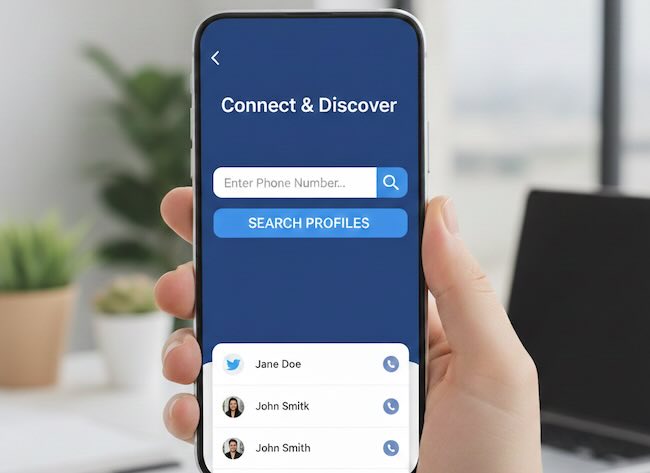
How to Search Social Media by Phone Number

Search Social Media by Phone Number

Phone numbers feel like perfect identifiers. They are unique, persistent, and tied to real-world devices. For years, many people believed that typing a phone number into a social network search bar would instantly reveal a profile.

Today, that assumption is mostly wrong.

Major platforms have significantly reduced public phone-based search. Privacy regulations, abuse prevention, and platform misuse forced changes. As a result, searching social profiles by phone number is no longer straightforward, and in many cases, it does not work at all.


Read more

How to Remove Your Personal Information from Data Broker Websites

Data Broker Websites Collect, Sell, and Expose Your Personal Information

Removing yourself from social media mentions is only one part of protecting your digital identity. The much larger and often more invasive problem comes from data broker websites. These platforms specialize in collecting, aggregating, and republishing personal data such as full names, home addresses, phone numbers, email addresses, relatives, property history, and even political affiliation.

Unlike social networks, you never signed up for these sites. Your information is pulled from public records, marketing databases, scraped websites, and other brokers. Once indexed, this data frequently appears in Google search results, making private details accessible to strangers, scammers, recruiters, or worse.

Read more

How to Find Social Profiles by Email Address

Find Social Profiles by Email Address

Email addresses sit at the center of modern digital identity. Long before someone chooses a username or uploads a profile photo, they create an email. It becomes the key that unlocks accounts, receives notifications, verifies logins, and connects services. While names can change and profiles can disappear, email addresses often remain stable for years.

This persistence makes email one of the most powerful starting points in identity research. When used responsibly and within ethical boundaries, an email address can reveal how an identity spreads across platforms, where it has been publicly exposed, and which services it has touched.

Read more

How to Find Old or Deleted Social Media Accounts

Find Old or Deleted Social Media Accounts

Most people assume that when a social media profile disappears, it is gone forever. The username no longer opens. The posts no longer load. The trail appears to end. In reality, the internet rarely forgets. Profiles are removed, suspended, or abandoned every day, but traces of them often remain scattered across search engines, archives, data aggregators, and third-party services.

Learning how to find old or deleted social media accounts is not about invading privacy or accessing anything hidden. It is about understanding how public data persists, how platforms distribute information, and how historical traces can still be located long after a profile stops being active.

This guide focuses specifically on historical and archival discovery. Not how to find active users. Not how to detect fake profiles. But how to surface what existed before. Old usernames. Deleted bios. Past posts. Traces of accounts that once shaped someone’s public digital footprint.

Read more

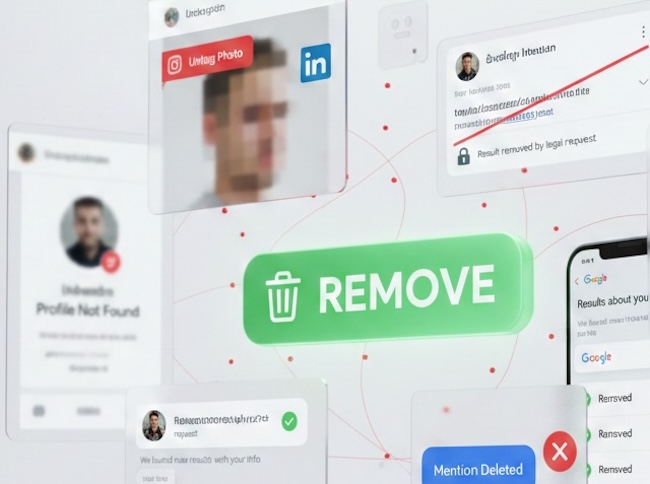
How to Remove Yourself from Social Media Mentions and Public Search Results

Remove Yourself from Social Media Mentions and Public Search Results

Most people think online visibility is about profiles. In reality, it is about mentions.

Your name, image, username, or contact details appear online because they are referenced, copied, indexed, and republished across platforms. Social networks, websites, directories, news articles, and people search databases all contribute to whether someone can find you.

When personal information shows up in search results, it is rarely because of a single post. It is usually because many systems have detected, stored, and redistributed that reference.

If you want to understand how names and identities are discovered in the first place, start with our complete guide to user search across social platforms

Read more

Recruitment 101: A Guide to Social Media Background Checks

Social Media Background Checks

Social media has transformed how people communicate, share opinions, and build professional identities. For HR professionals, this shift has introduced a new dimension to recruitment. Public online profiles can offer valuable context about candidates, but they also create ethical, legal, and professional risks if handled incorrectly.

This guide is designed for HR leaders, recruiters, and hiring managers who want to approach social media screening for employers in a structured, compliant, and fair way. Rather than focusing on how to “find dirt,” the emphasis here is on ethical background checks, compliance, and professional hiring frameworks that protect both the organization and the candidate.

When done properly, HR social media screening can support safer hiring decisions, reduce reputational risk, and improve culture alignment. When done poorly, it can introduce bias, violate privacy laws, and expose companies to serious legal consequences.

Read more

UPDATE: How to Hide/Remove Yourself From Facebook Search Results

facebook_fence_icoFacebook is constantly updating its inteface and settings configuration, so most of the How-To tutorials published in the various blogs are invalid now.

Today we are reviewing the up-to-date process of removing yourself from Facebook Search Results with screenshots:

Read more

How To Quit A Facebook Addiction

Facebook-addictPreviously, we published 5 Tips To Quit A Facebook Addiction. Now The Daily Telegraph reports that Facebook addiction appears to be even more stronger than alcohol or tobacco ones.

One of the reasons Facebook can become so absorbing is how easy it is to endlessly browse profiles, posts, photos, and public updates. Tools like a facebook viewer make it possible to explore public Facebook content in one place, which also highlights how much information is constantly available.

Read more

Facebook Promoted Posts Tutorial

facebook-promoted-postsIf your Facebook page has at least 400 Likes, then you have a new opportunity for Facebook advertising – Promoted posts.

By clicking on this button at the bottom of the status update widget, you can select your budget for advertising, and then see the percentage of the users who read it.

Read more

TOP 7 Mistakes on Facebook

facebook_security_logoAs in any social network, Facebook is full of people who are not completely familiar with the privacy settings. If a person is engaged in serious business, and uses the Facebook page to attract customers, then open page is good, however, if the personal page is open to the public, it can lead to some problems, including hacking the page.

To better understand what information from a Facebook profile is actually visible to others, you can use a facebook viewer tool to explore publicly accessible Facebook posts and profiles as they appear outside the platform.

Let’s have a look at 7 common mistakes of the average user:

Read more